
Favourite our Dune Board
Task: Favourite our Dune Board!
How to Add a Board to Your Favourites on Dune
Sign in or create a Dune account
- Visit Dune and log in. If you don't have an account yet, sign up—it's free.
Open the board and star it
- Navigate to the Propchain: $PROPC Token board URL: https://dune.com/lydiapita/propchain-dollarpropc-token
- On the board page, click the Star icon to add it to your favourites.
Verify the board in your Favourites tab
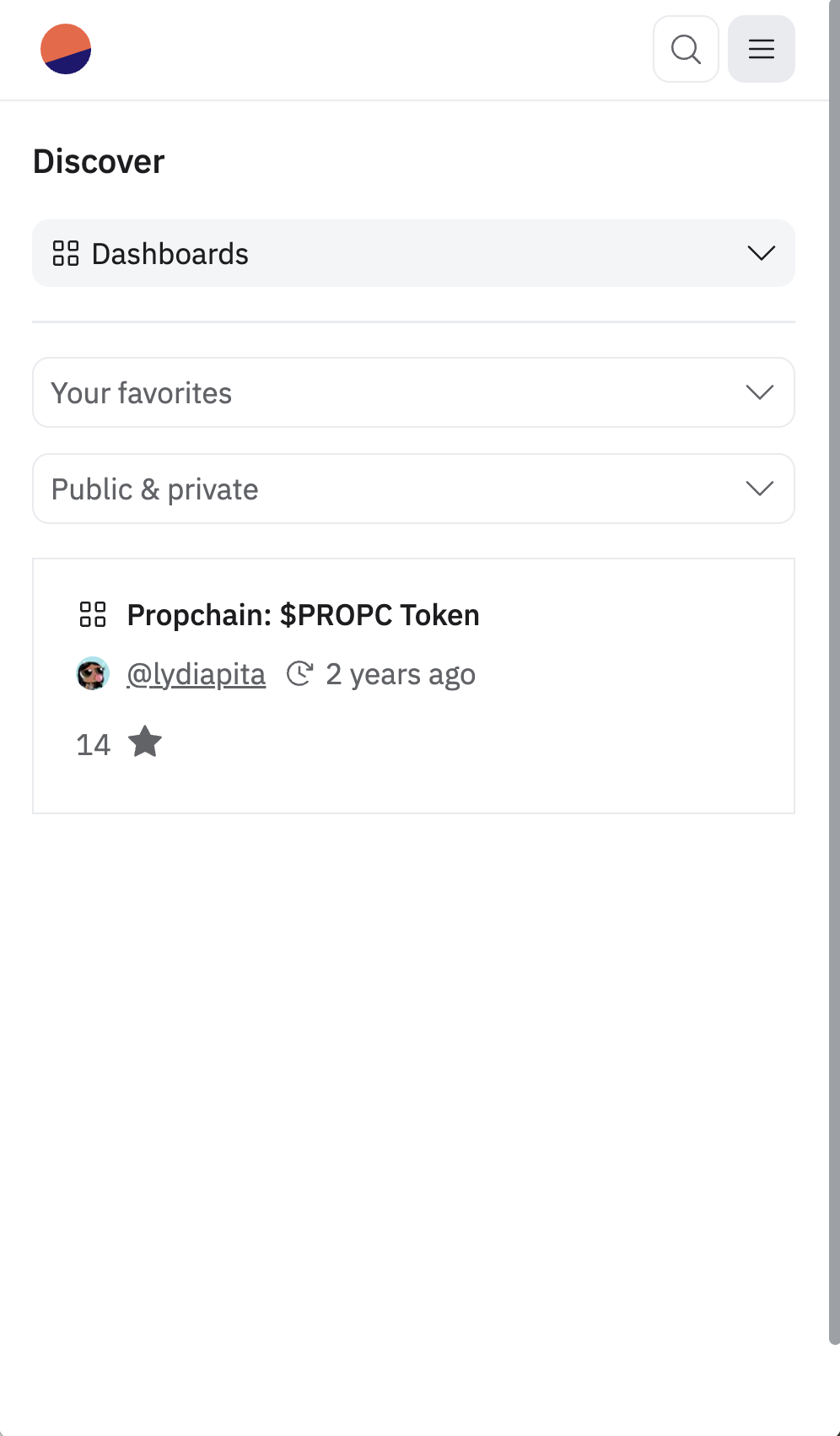
- Open the Favourites page at https://dune.com/discover/content/favorites.
- You should see the Propchain: $PROPC Token board listed under your favourites. Starring a board automatically places it in this list.
Submit screenshot proof
- Take a screenshot of your Favourites page showing the Propchain: $PROPC Token board.
- Upload this screenshot as proof.
- Example screenshot proof accepted:
Following these steps will add the Propchain: $PROPC Token Dune board to your favourites and provide you with the necessary proof of completion.