
Submit Screenshot Proof
Complete the required action
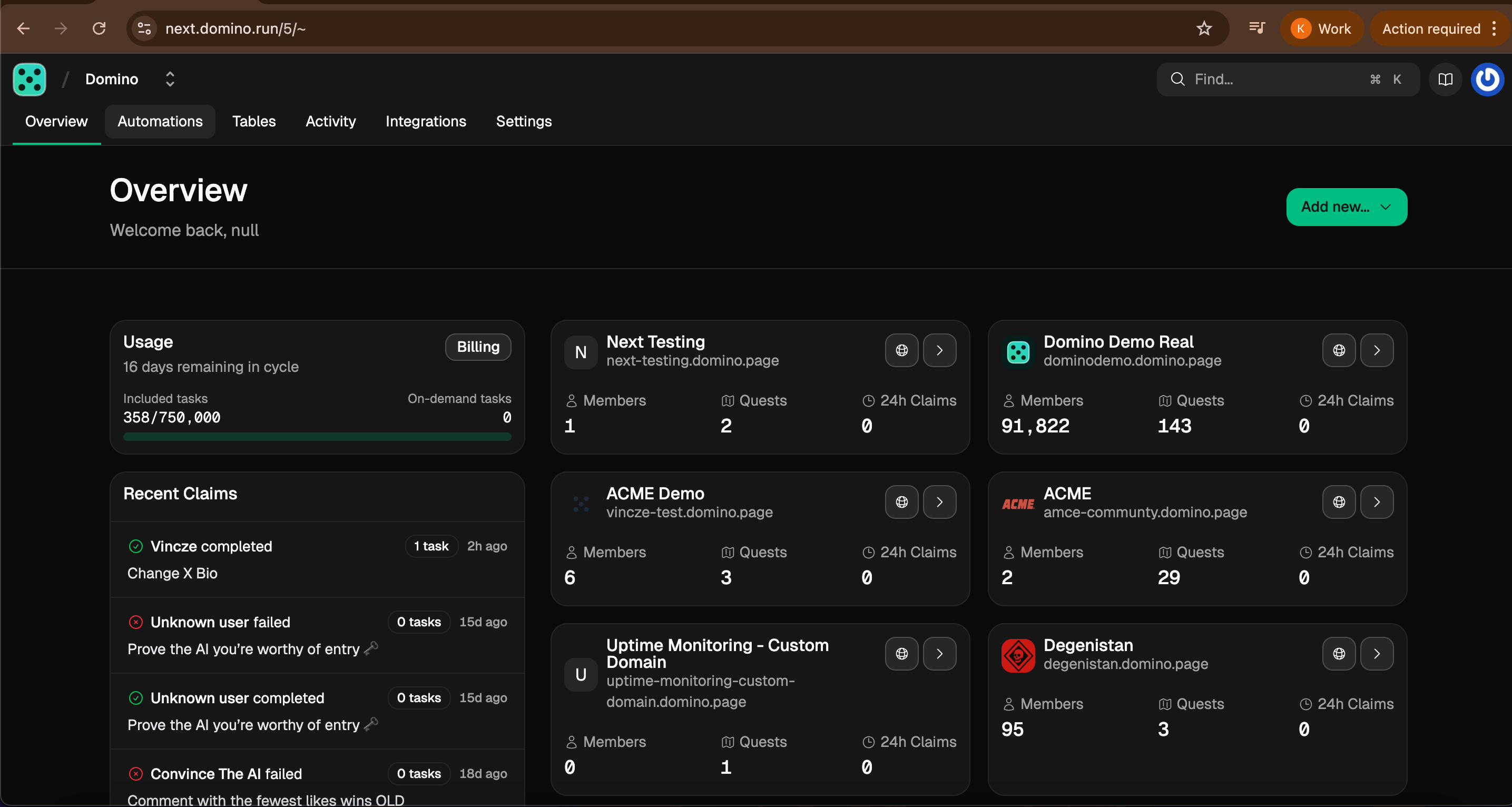
- Submit a screenshot of your domino dashboard to prove you have created an account
Take a screenshot
- Capture a clear screenshot showing proof of completion.
- Ensure all relevant details are visible and legible.
Submit your proof
- Upload your screenshot as proof of completion.
- Make sure your screenshot matches the example format shown below.
Example screenshot proof accepted:
Important notes:
- Your screenshot must clearly show proof of the completed action.
- Blurry, cropped, or incomplete screenshots may be rejected.
- Follow the example format to ensure your submission is accepted.